|
|
|
|
|
 |
Overwrite in VPDM: The object
loaded in the CATIA session overwrites the one stored in the VPDM
repository. |
 |
Reload from VPDM: The VPDM object
version is kept. |
 |
New Object in VPDM: The object is
considered as a new one.
Note that this reconciliation rule is available only if the object is saved
in Publications Exposed mode. |
 |
Keep as External: The broken link
will be accepted as "broken" during the reconciliation process. After
saving the documents in the database, the external reference will:
- remain "broken" if it belongs to a document saved as Publication
Exposed.
- definitively disappear if it belongs to a Structure Exposed
document.
|
 |
New Revision : The document
loaded in the CATIA session overwrites the one stored in the ENOVIA
V5 VPM repository and the document will be saved to ENOVIA V5 VPM as a new
revision. |
 |
New Version : The object
loaded in the CATIA session overwrites the one stored in the ENOVIA V5
VPM
repository, the part will be saved to ENOVIA V5 VPM as a new version and the
corresponding geometry document will be saved as a new revision. |
 |
Filter on PRC: Allows you to apply
a filter to the VPDM view. |
 |
Locate: Enables you to query the
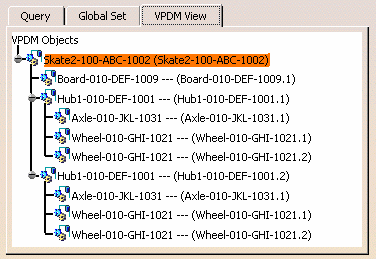
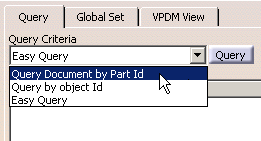
VPDM in order to establish mappings with the CATIA View. |
 |
Report : Generates a report of the
current reconciliation choices you have defined. The report is
saved in an xml file and displayed in your default web browser.
The report can be printed directly from the web browser. |
 |
Storage Mode: See
Selecting the Storage Mode. |
 |
Save Application Container (ENOVIA
ENOVIAVPM only): When
CATProduct documents are saved in Structure Exposed mode, you can decide to
save the applicative data using an application container.
|
 |
Destination PDM: Enables you to
select the destination PDM. By default, the destination PDM is the one
selected in the Tools>Options>Infrastructure>Product
Infrastructure-Reconciliation window. |
 |
View Type: This scrolling list
enables you to select a view type.
| Part & Document |
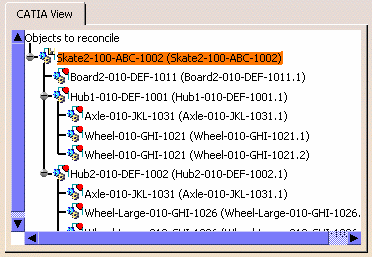
Both tabular and graph views represent the CATIA reference view.
All CATIA documents, products and components that belong to the
reconciliation transaction are represented. In this view mode,
- selecting a Part in the objects to reconcile tree implies that
you want to work in Structure Exposed mode.
- selecting a document in the objects to reconcile tree implies
that you want to work in Publications Exposed mode.
|
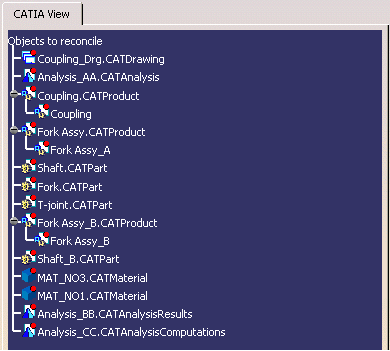
| Document |
Both tabular and graph views display the objects to be
reconciled as a tree of documents. Note that mapping cannot be
fully done from this view (i.e. if CATProducts, whose storage mode
is Structure Exposed, have components, the components cannot be
mapped from this view. The Instance view or Part & Document
view must be used).
|
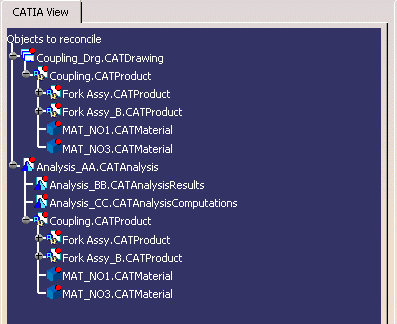
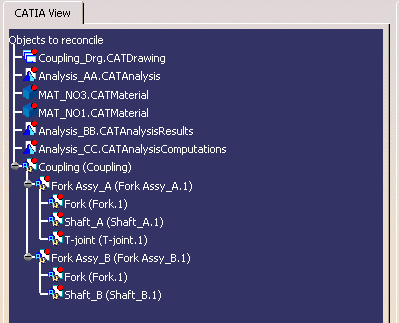
| Instance |
Both tabular and graph views represent the CATIA Product structure
view, i.e. the objects presented with instances. This is the
default view.
 |
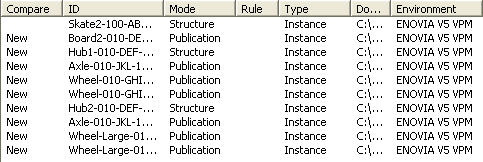
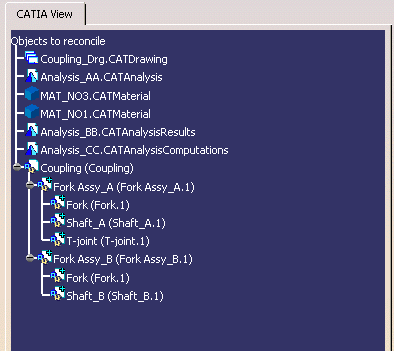
| Compare |
Both tabular and graph views represent a merged CATIA/ENOVIA
V5 VPM Product structure. In this mode, you will identify identical instances,
modified positioning, availability only in CATIA or only in the VPDM.
This comparison will enable you to forecast the impacts of the
reconciliation on the Product structure stored in the VPDM after
applying the reconciliation and saving the data both in CATIA and in
the VPDM system.
The Compare view will be available at any time (even before selecting
any reconciliation rule) and the objects for which no reconciliation
rule is defined will be analyzed as New objects.
In this context, only CATIA objects can be selected.
 |
|
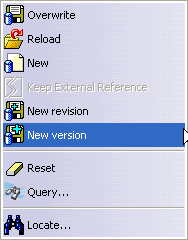
| This contextual menu is available when you
right-click an object in the CATIA View.
|
|
|
Overwrite: The object loaded in the
CATIA session overwrites the one stored in the VPDM repository. Note that
when you work with ENOVIA V5 VPM, the root node must be designated
Overwrite. |
|
|
Reload: The VPDM object version is
kept. |
|
|
New: The object is considered as a
new one. |
|
|
Keep External Reference: The broken
link will be accepted as "broken" during the reconciliation process. After
saving the documents in the database, the external reference will:
- remain "broken" if it belongs to a document saved as Publication
exposed.
- definitively disappear if it belongs to a Structure Exposed
document.
|
|
|
New Revision : The document
loaded in the CATIA session overwrites the one stored in the ENOVIA V5
VPM
repository and the document will be saved to ENOVIA V5 VPM as a new
revision. |
|
|
New Version : The object
loaded in the CATIA session overwrites the one stored in the ENOVIA V5
VPM repository, the part will be saved to ENOVIA V5 VPM as a new version and the
corresponding geometry document will be saved as a new revision. |
 |
Reset: Enables you to reset the
reconciliation rule and the mapping for the current object. |
|
|
Locate: Enables you to query the
VPDM in order to establish mappings with the CATIA View. |
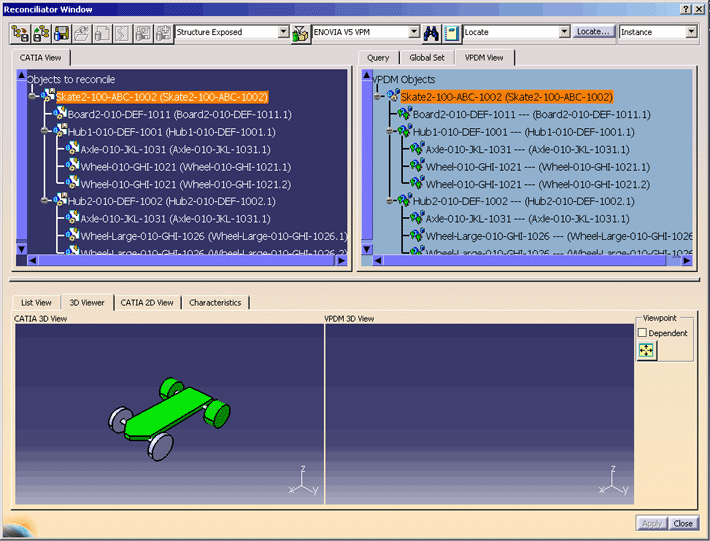

 ENOVIA V5 VPM Replication Toolbar